Kitchen Bright
Kitchen
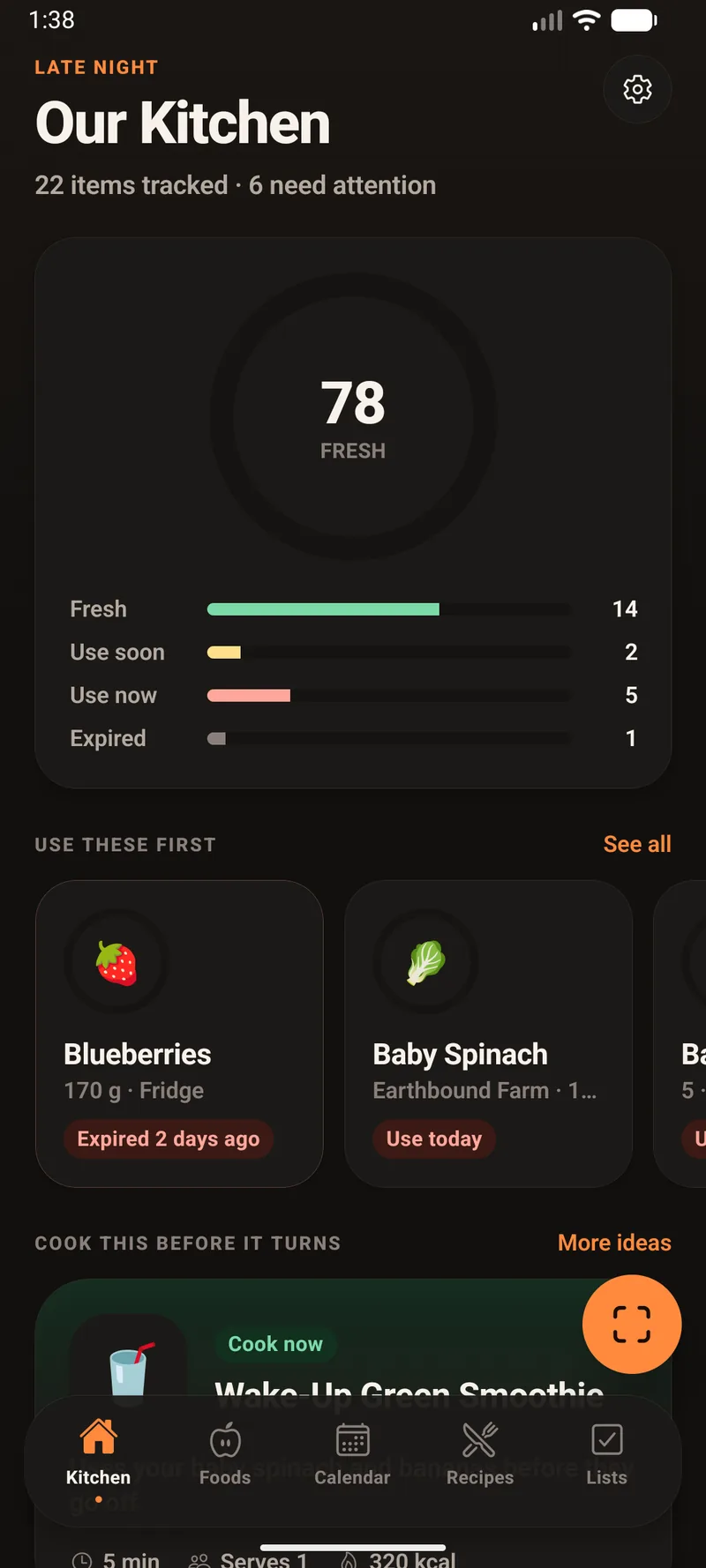
A freshness score for the whole kitchen, what needs using first, and one thing worth cooking tonight.
A kitchen that keeps track of itself
It knows what you own, how long each thing has left, what it's worth nutritionally, and what you could cook tonight before any of it turns.
The idea it's built on
Most food apps count down to a date and colour it red near the end. That treats a bag of rice like a bag of spinach. Kitchen Bright asks a better question: how much of this food's own life is left?
Same number of days, three different verdicts. Rice with a month left has spent 96% of its life and needs using; yoghurt with a month left has barely started. Kitchen Bright combines days remaining with the fraction of shelf life gone, so a long-life staple never sits at alarm-red for a month and a herb with one day left gets the urgency it deserves.
What it actually does
A freshness score for the whole kitchen, what needs using first, and one thing worth cooking tonight.
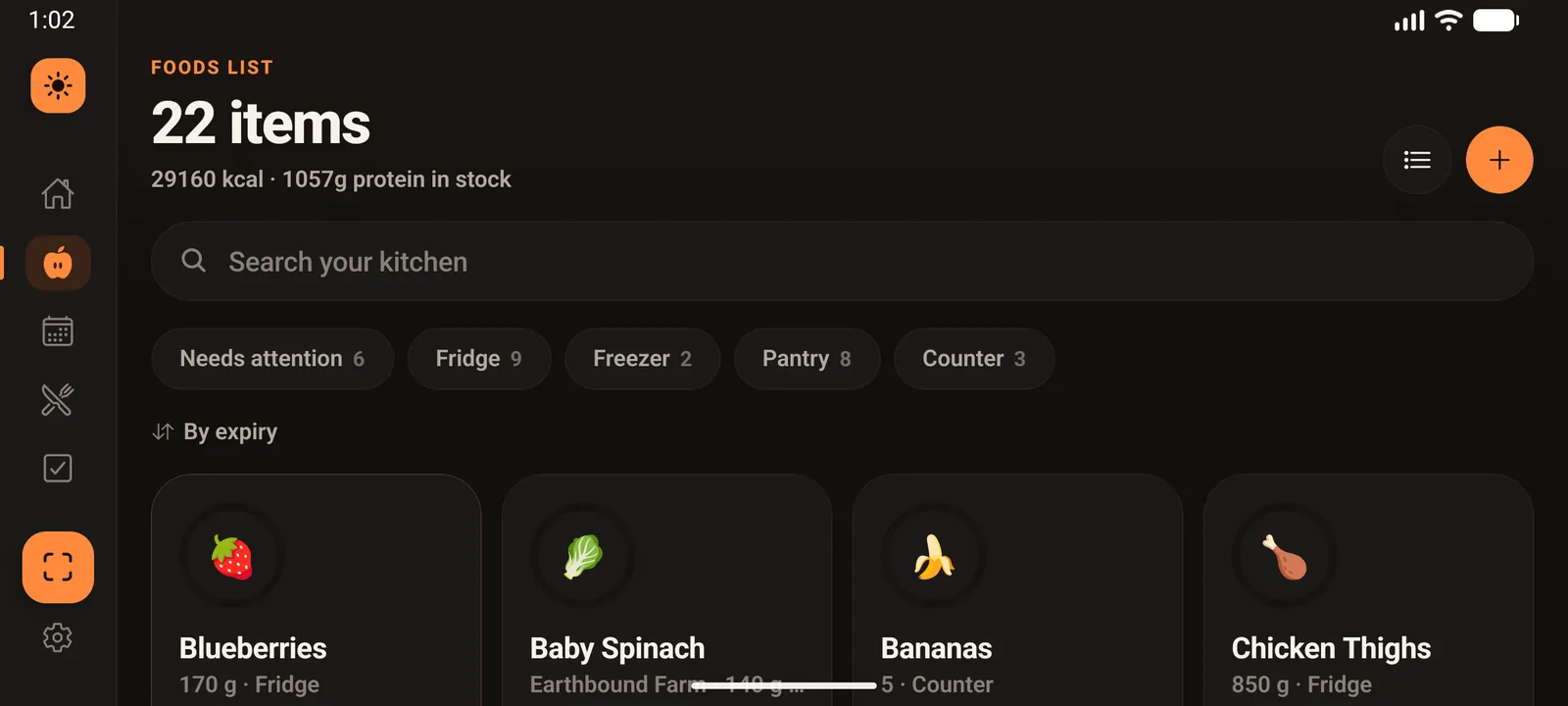
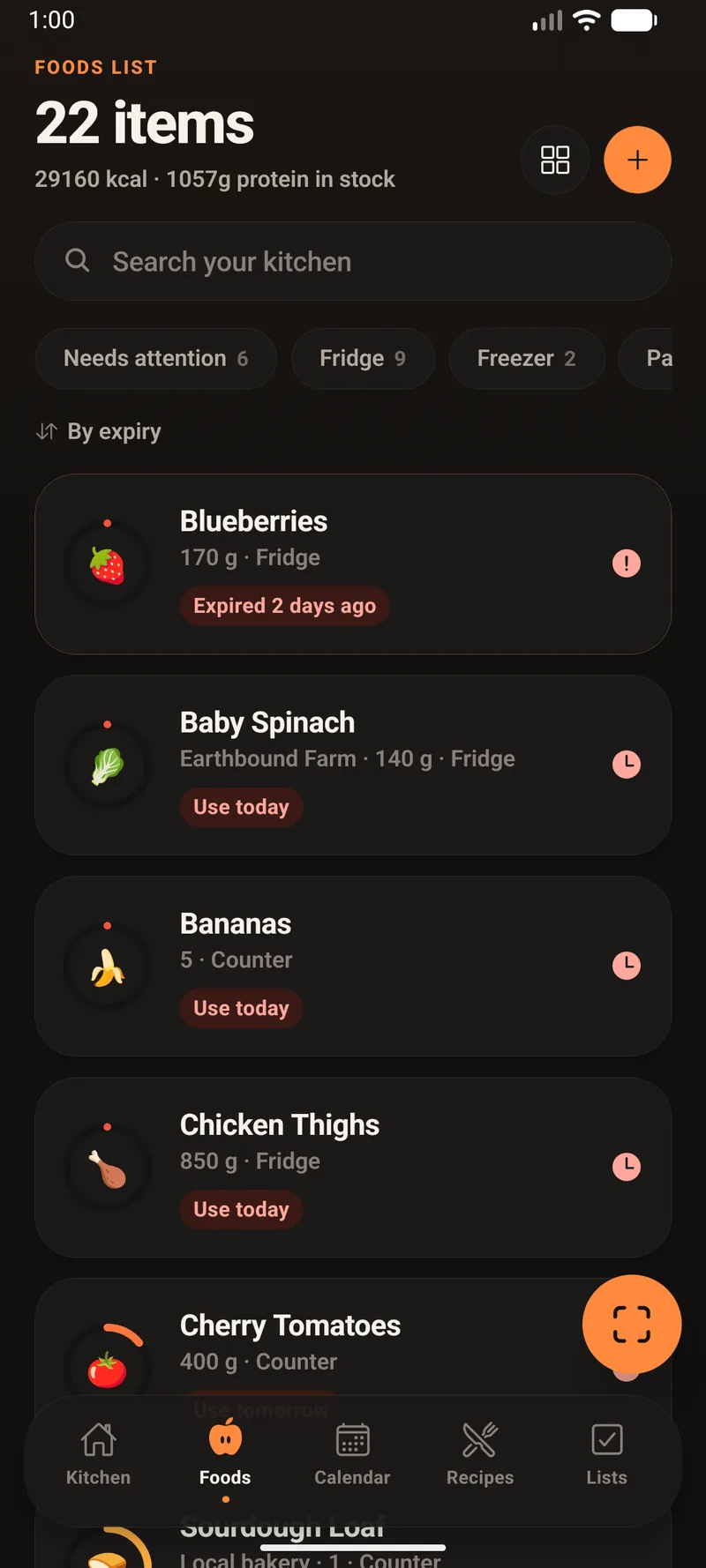
Everything you own, sorted by what's about to go bad. Dates, nutrition per serving and in stock, and where it's kept.
Month, week and agenda views over expiry dates, planned meals, and anything from a calendar you connect.
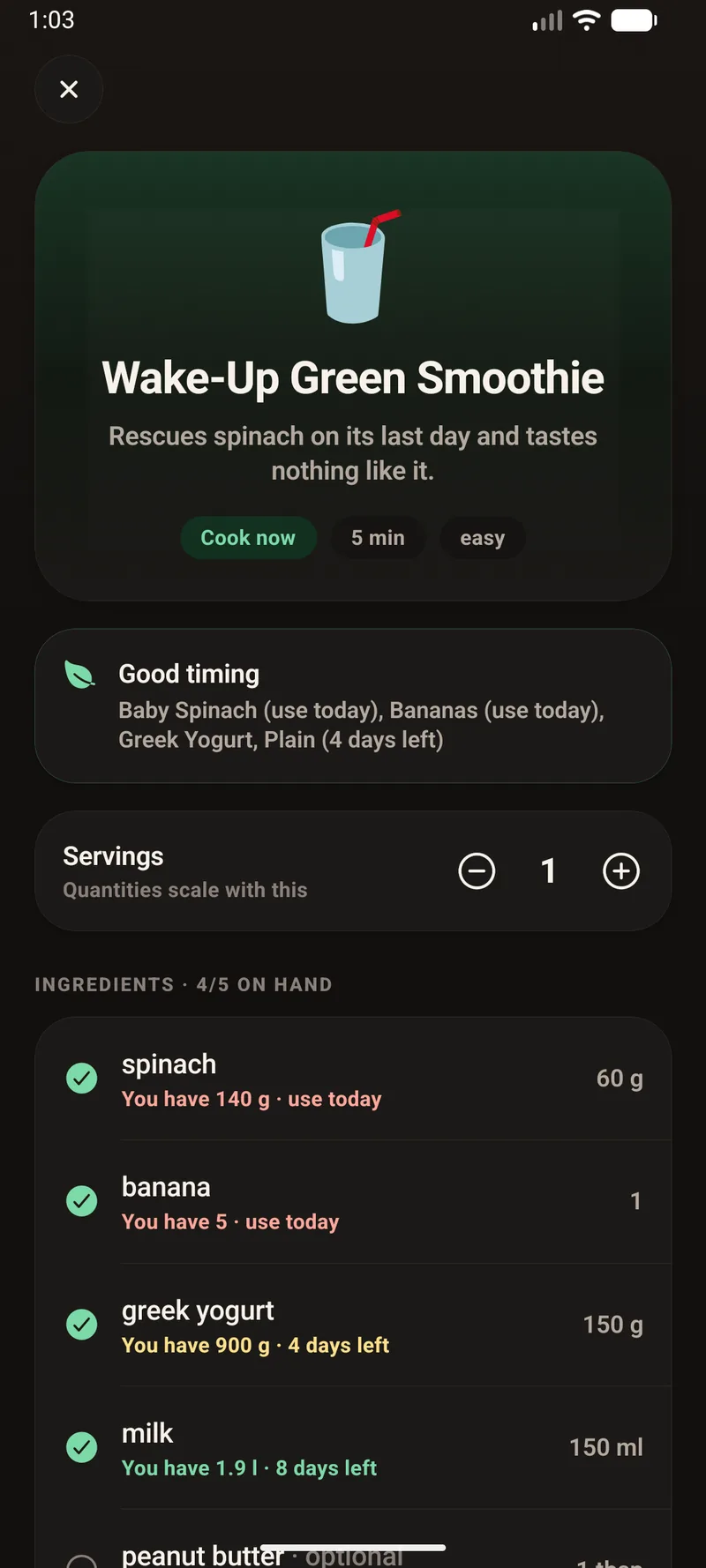
Ranked against what you actually have — cook now, need two things, and what each one would rescue before it turns.
A grocery list grouped by aisle and kitchen notes. Tick things off, tap Put away, and they land in your Foods List already dated.
Point at a barcode and get the product and its nutrition label. Point at the label itself and it reads that instead.
Why it stays accurate
Most inventory apps go stale because keeping them current is a chore nobody does. Kitchen Bright removes the chore by making the app the thing you already use at the moment food changes hands.
Phone, tablet, wall
One codebase ships to iPhone, iPad, Android phones and Android tablets. Phones get a one-thumb layout. Tablets get the same app with a side rail, larger type and more columns — so a tablet on the counter or mounted on a wall is a genuine kitchen display, not a stretched phone screen.
It stays awake, fades to a clock when the room goes quiet, and comes back as someone walks up to it.