Features

What it does, and why it does it that way.

Kitchen Bright is a food inventory that stays accurate because keeping it accurate isn't a separate chore. Here's what's behind each part of it.

Freshness

One signal, computed in exactly one place.

Freshness isn't stored on an item, it's derived — and it's derived by a single function that every other part of the app reads. The ring, the status pill, the sort order, the calendar dot and the expiry notification physically cannot disagree, because none of them work it out separately.
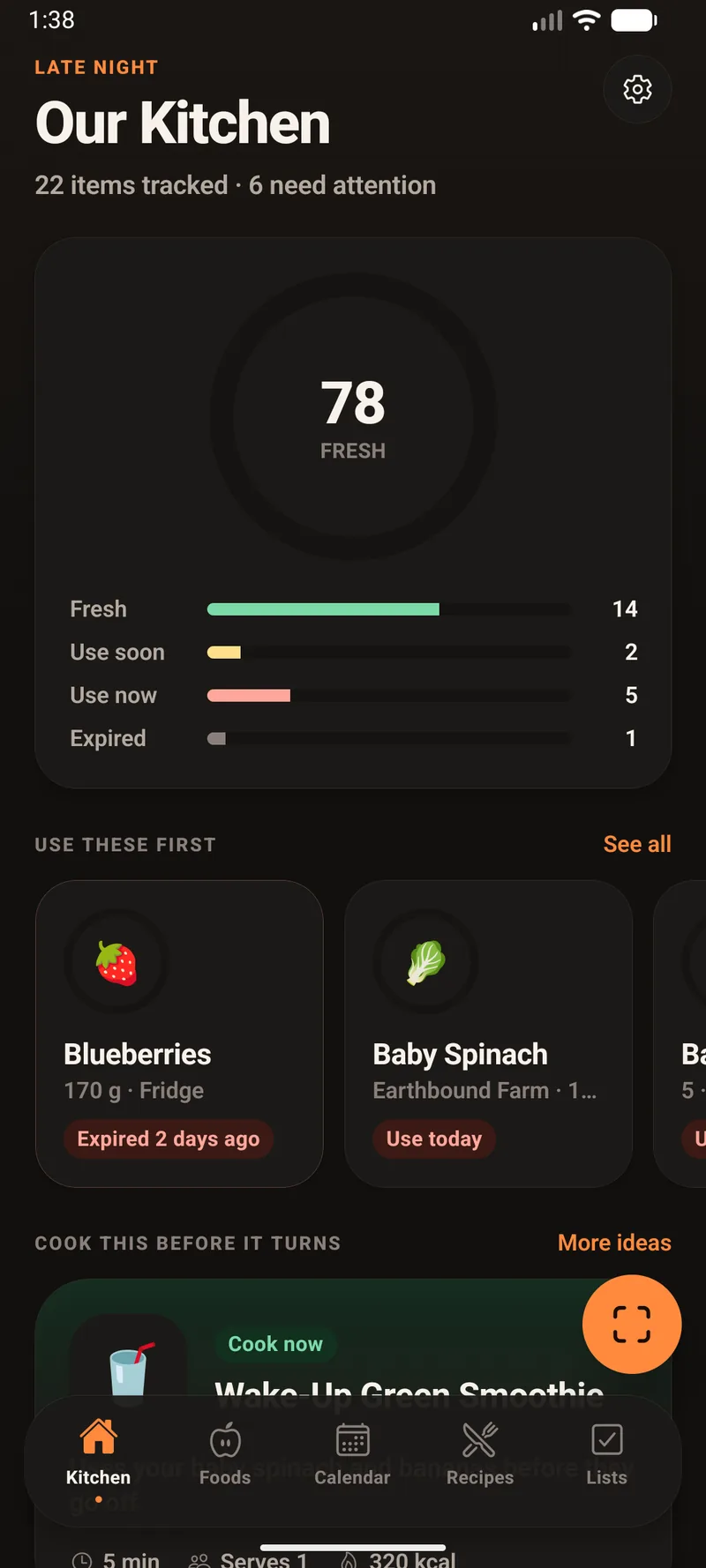
  • Two signals, not one. Something is urgent at 3 days or fewer, or once only 15% of its life remains. Use soon at 7 days or fewer, or under 35% remaining.
  • The ring encodes it twice. Its length is the fraction of life left; its colour slides along the same scale. Length works for anyone who can't separate the hues, colour works from across the room.
  • The kitchen score is weighted. Fresh items count fully, "use soon" 0.7, urgent 0.35, expired zero — waste is weighted hardest, because it's the failure the app exists to prevent.
  • It re-reckons at midnight. Each item's freshness is cached against the item and stamped with the day, so it can never go stale and never needs invalidating.
The Kitchen tab with a freshness score of 78 and bars showing 14 fresh, 2 use soon, 5 use now and 1 expired.

Dates

Type "spinach". It already knows.

Around fifty food families are matched against what you type, longest keyword winning — so "chicken breast" beats the generic "chicken", and "orange juice" stays a drink instead of becoming a piece of fruit.

Every entry stores a different lifespan per location, so the date follows the food to wherever you put it. Move the spinach to the freezer and it is re-dated from the day you bought it.

  • Opening overrides the printed date. Most foods carry an after-opening cap — milk 7 days, cheese 21, peanut butter 90. Once you mark something opened, whichever comes first is the date that drives everything.
  • It asks rather than assumes. Type a printed date that falls after the opened deadline and it asks which should count, instead of silently picking one.
Shelf life in days by storage location
FoodCounterFridgeFreezerPantry
Baby spinach5240
Chicken2270
Bananas5890
Cheese35180
Bread12905
Rice720

Days from purchase. Conservative reads of USDA FoodKeeper guidance — defaults you can always override, never a food-safety guarantee.
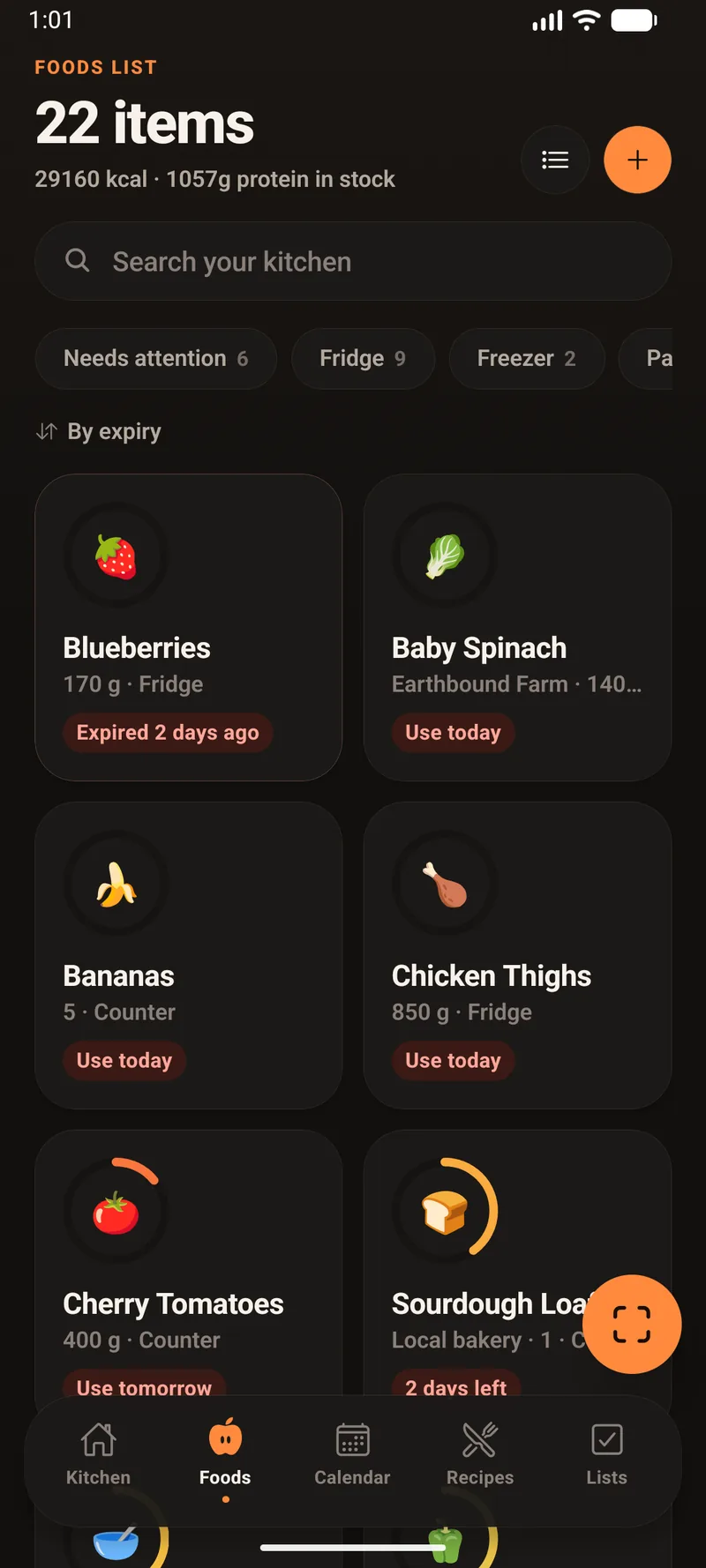
The Foods List as a grid of cards, each food's glyph inside a freshness ring showing how much of its life is left.

Recipes

Ranked by what they'd save, not just what you can make.

Every recipe is scored against your actual shelves. Having all the ingredients matters — but a recipe that uses the spinach expiring tomorrow beats one you merely happen to have everything for.
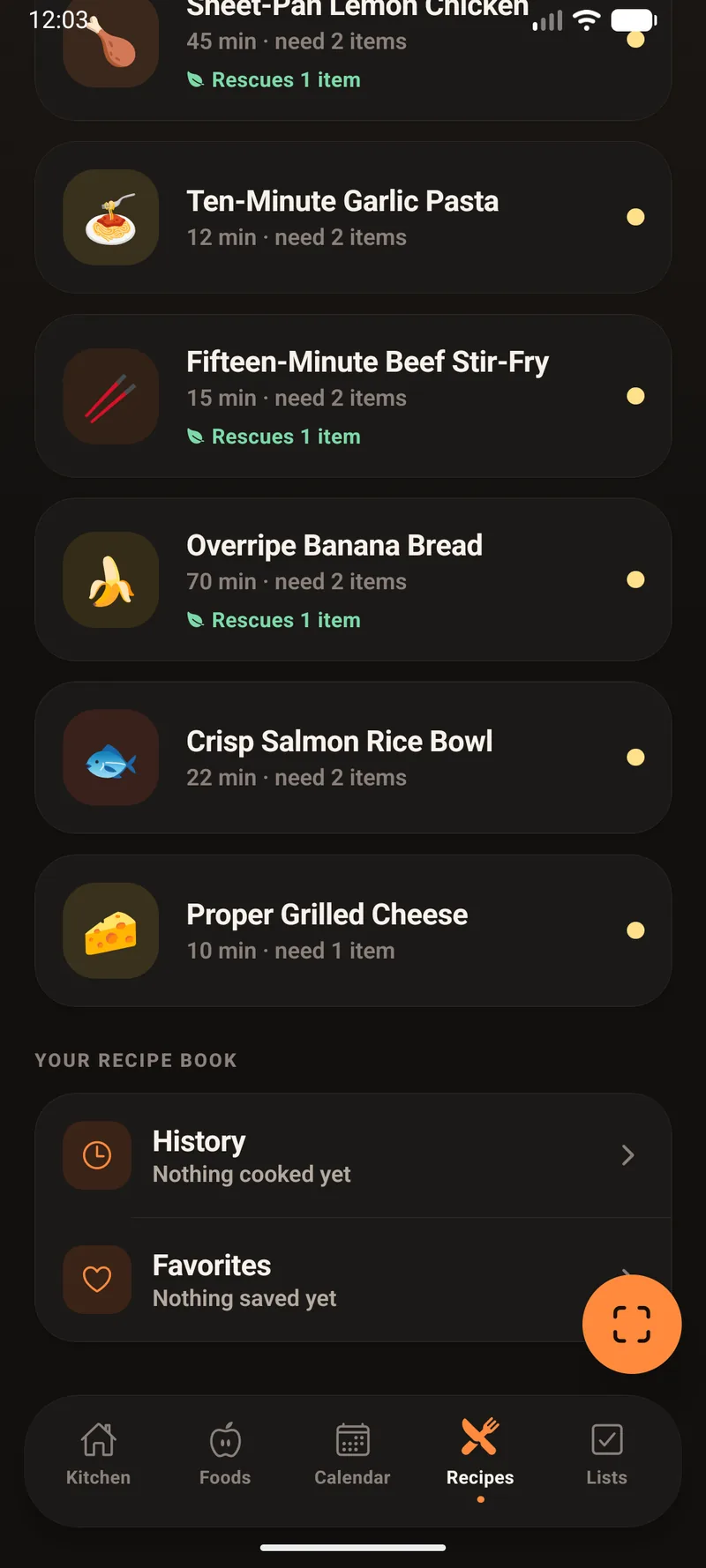
  • What "rescues 1 item" means. You have to actually own the ingredient and it has to be in the urgent or use-soon band. Something already expired doesn't count, and nothing you'd have to buy can ever be a rescue.
  • Staples are forgiven. Salt, oil and garlic never block a "cook now" verdict — nobody wants to be told they can't make pasta over one clove of garlic.
  • Speed counts on a weeknight. A time bonus decays with cooking time, so a 12-minute recipe genuinely beats a 70-minute one. Ties break toward the faster one.
  • Matching is fuzzy but guarded. "Eggs" finds "egg" and "cheddar" resolves to "sharp cheddar cheese", but the last word has to agree — which is what stops "peanut butter" satisfying a recipe that wants butter.
  • It reaches for the oldest one. When several items could satisfy the same ingredient, it picks the one expiring soonest.
  • Skipping recomputes everything. Switch an ingredient off for tonight and coverage, the rescue list and the cook-now verdict are recalculated — so dropping the one thing you were missing genuinely flips the recipe to cookable.
The Recipes tab listing recipes with cook times, how many items are missing, and green Rescues 1 item markers.

Cooking

Cook it, and the kitchen updates itself.

Confirming a cook records the meal, saves your note, optionally favourites the recipe, and draws down what it used — the single moment where an inventory app usually goes stale instead.
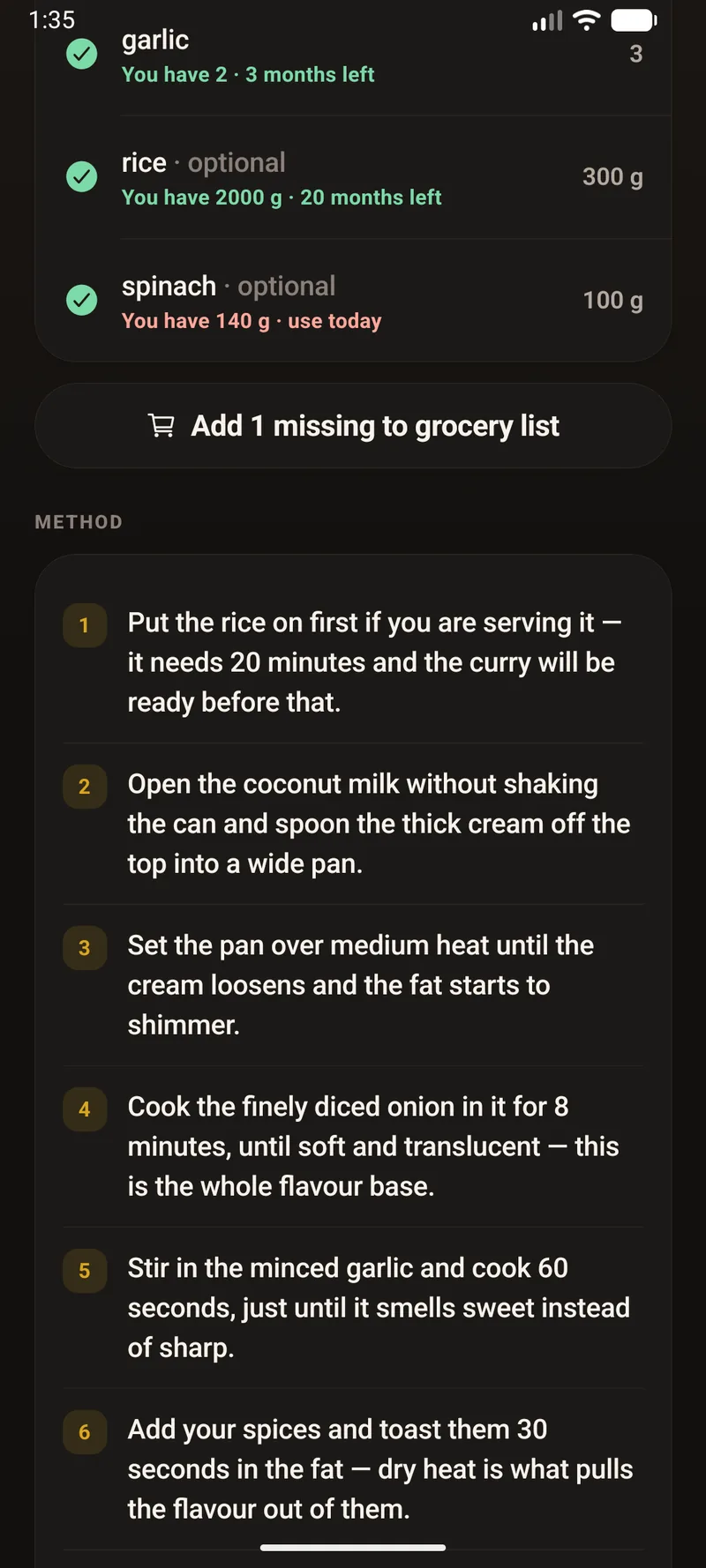
  • Plan and history stay separate. A planned meal is a calendar slot that vanishes if the plan changes. The cook log is permanent and snapshots its own title, so your history still reads correctly after a recipe is deleted.
  • Subtraction is deliberately cautious. Amounts come off only when the recipe's unit matches your stocked unit. If the units disagree but the item is counted in pieces, it nudges down by one. Otherwise it leaves the item alone rather than inventing a conversion.
  • Missing things go to the list. Add one ingredient from its row, or all the non-staple missing ones in a single tap.
A recipe's ingredients ticked against stock, an Add 1 missing to grocery list button, and a numbered method.

Scanning

Point at the barcode. That's the whole job.

Scan a packet and it comes back as a real food — name, brand, and the full nutrition label — in about a second. Nothing to type in.
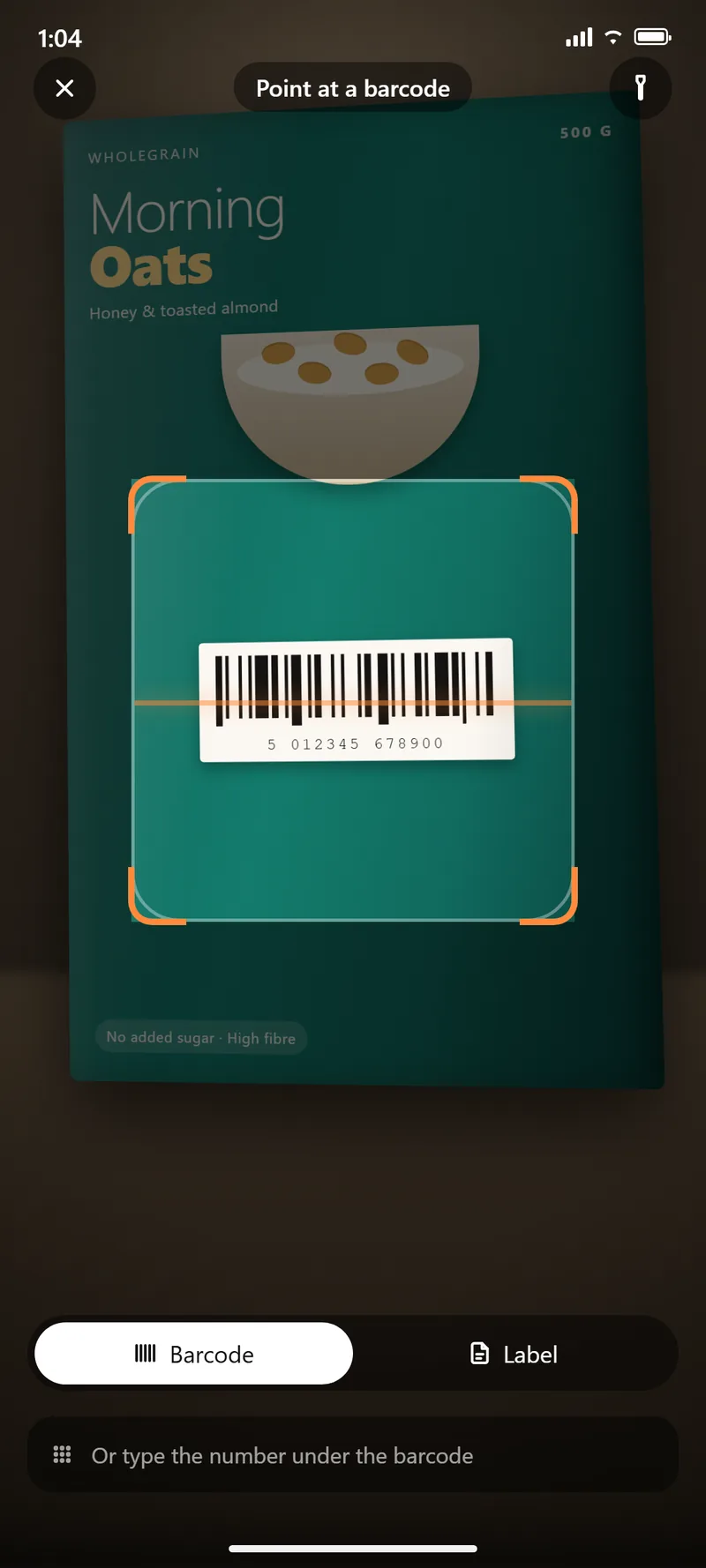
  • It asks more than one source. Food databases disagree with each other more often than you'd think, so Kitchen Bright checks several and gives you the figure they mostly agree on.
  • It admits when they clashed. If the sources gave wildly different answers, you're told — rather than handed one confident number that might be the wrong one.
  • One source being down doesn't stop you. If a database is slow or unavailable, the scan still works on the others.
The scanner in barcode mode, aimed at the barcode on a box of Morning Oats cereal standing on a counter. An orange framing bracket surrounds the barcode, with a Barcode and Label toggle and a field to type the number under the barcode below.

Label reading

No barcode? Take a photo of the label.

Plenty of food has no barcode, and plenty more isn't in any database — the bakery loaf, the deli counter, the shop's own brand. Hold the camera over the nutrition panel and Kitchen Bright reads it off the packet.
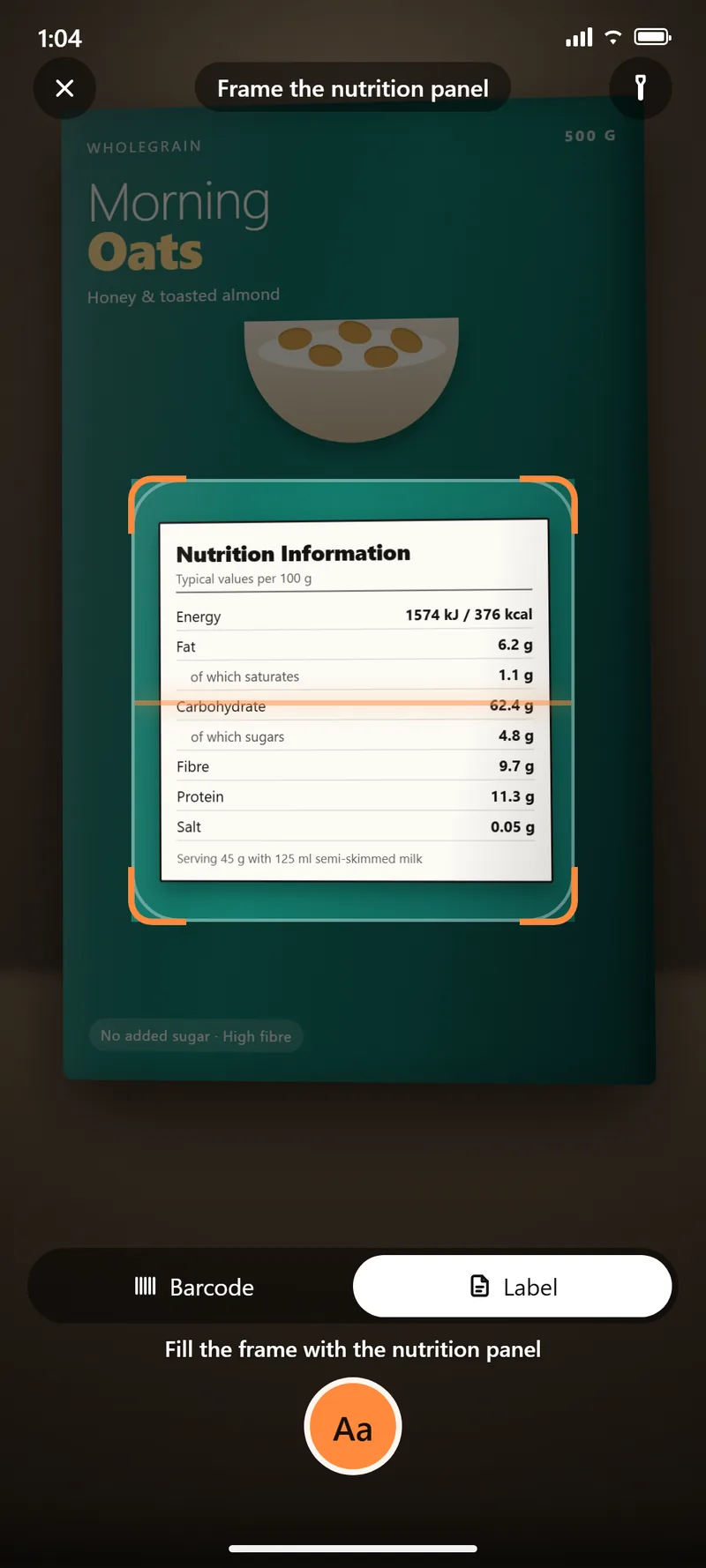
  • It happens on your phone. The photo of the label isn't uploaded anywhere to be read.
  • It copes with labels from anywhere. Kilojoules become calories, commas become decimal points, and a label listing salt is converted to sodium — so a European packet reads the same as an American one.
  • It tells you when to double-check. If the label never says how big a serving is, it says so instead of quietly guessing at the numbers.
The scanner in Label mode, with the cereal box's nutrition information panel filling the framing bracket. The prompt reads Fill the frame with the nutrition panel, above a capture button.

Lists & shopping

From the shop to the shelf without retyping.

Type anything onto the grocery list and it sorts itself into aisles — the aisle, the icon, the unit and the storage place are all inferred from the name. Tick things into the cart as you shop.

  • Put away does the data entry. Turn the cart into tracked food in one pass, choosing fridge, freezer, pantry or counter per item — and the estimated use-by date follows wherever you put it.
  • It won't stock things behind your back. Put away freezes the list it opened with, so if someone ticks an item off on their own phone mid-way through, it isn't silently stocked on your behalf.
  • Hand the list to Walmart or Amazon. Items open in the store's own app, signed in as you.
  • The barcode survives the round trip. Scan a packet, use it up, restock it, and the hand-off still searches by that code and lands on the exact product.

Why it's a walk, not one button

Neither Walmart nor Amazon offers a public consumer cart API, so the app opens each item in the retailer's app rather than filling a cart for you. The trade-off is deliberate: your cart ends up in your own account, and Kitchen Bright never holds a retail credential.
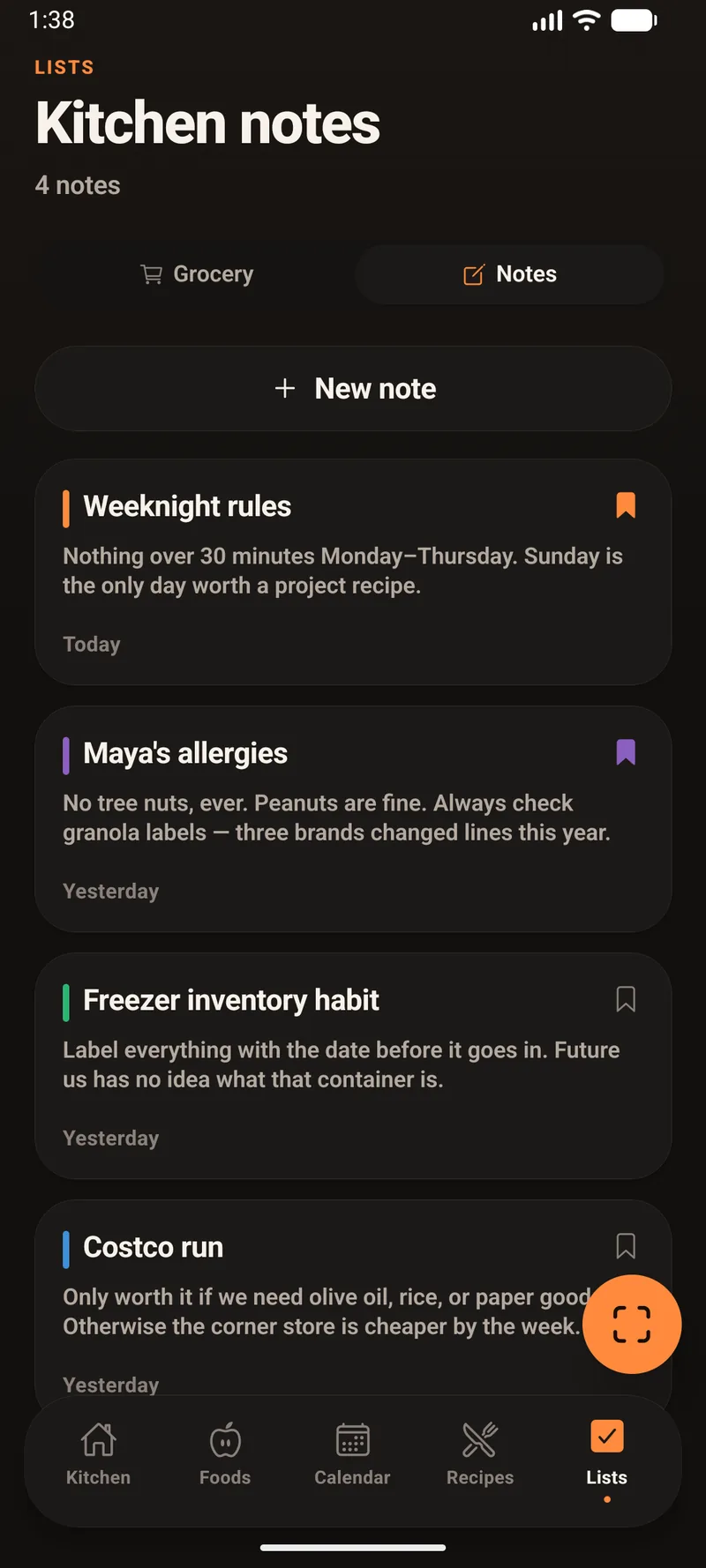
The Kitchen notes board with four notes, two of them bookmarked.

Calendar Days

Everything with a date on it, on one grid.

Expiry dates, planned meals and notes you've pinned to a day all land on the same calendar, in month, week or agenda view.
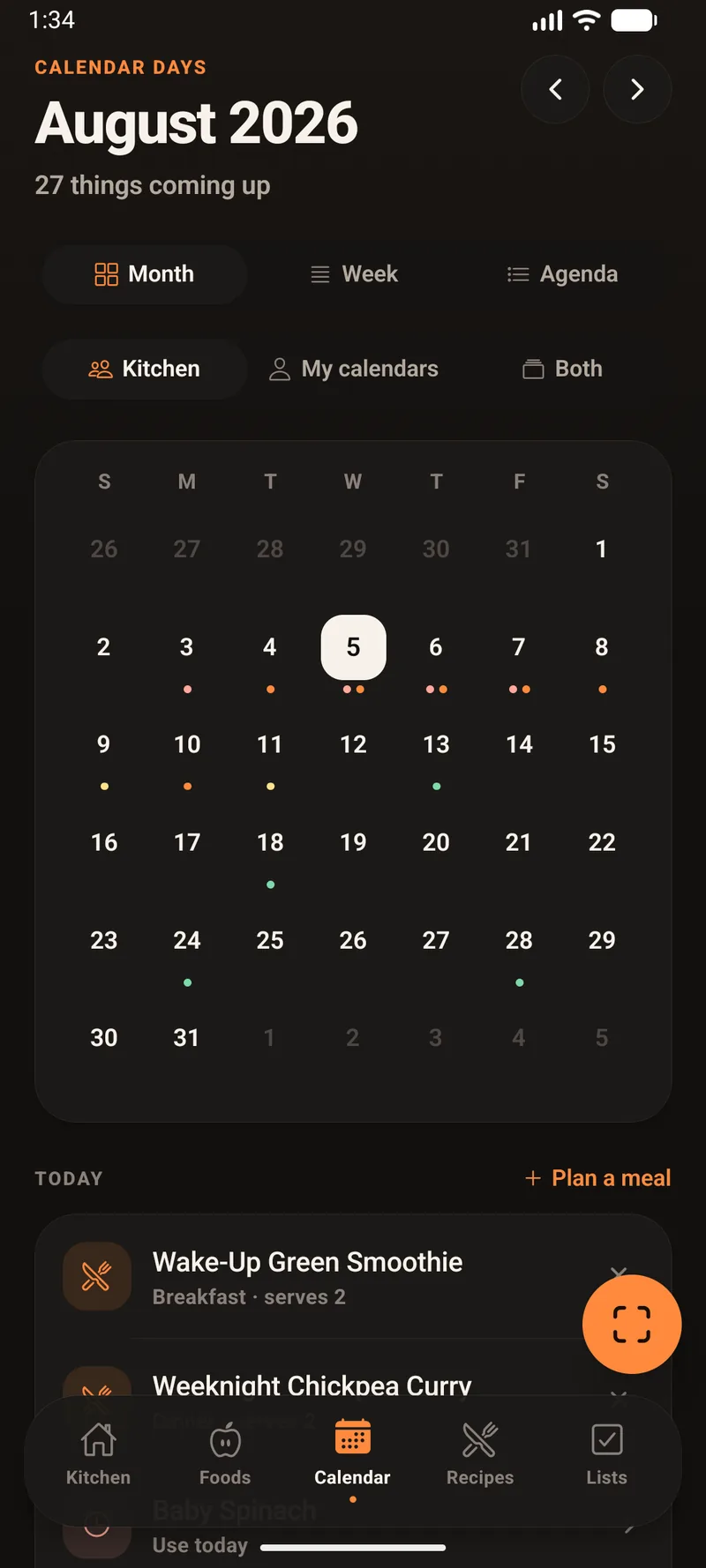
  • The dots mean what they mean everywhere else. Up to three per day, deduped by colour, ordered so the most urgent always keeps a spot.
  • Plan from the day you're looking at. "Plan a meal" hands you the recipe list in picker mode, with the day you're planning for in the header.
  • Subscribe to a family calendar. Paste a private iCalendar link and it's fetched and validated straight away — non-https links, dead links and non-calendar responses are rejected with a reason.
  • Synced events are never written to disk. Showing a week-old copy of someone's calendar was judged worse than showing nothing, so they refill on each sync.
Calendar Days in month view for August 2026 with coloured dots on days and today's planned meals listed below.

Household & sync

Up to five people, one kitchen.

Two ways to share

With a sync server, the household lives on the server and people join from their own phones with an invite code. Without one, it lives on a single device as named profiles — which is what a shared kitchen tablet actually needs.

Every change carries a name

Foods, meals, grocery lines and notes all carry the tag of whoever added them, so you can see who put what where.

Merge, not overwrite

When two devices have both moved on, the sync merges them rather than letting the last one to connect flatten the other.

Founding doesn't empty the shelves

Creating a household copies the founder's existing kitchen across as its starting point.

Owner rules, enforced twice

The five-person limit, owner-only settings and transfer-before-you-leave are enforced on the server as well as in the app — the app is never treated as the authority.

Your own server, if you want

The sync server is a dependency-free Node service you can host yourself. Passwords are hashed with scrypt and every provider's token is verified against Google, Apple or Amazon directly.

Tablet & wall

A kitchen display, not a stretched phone.

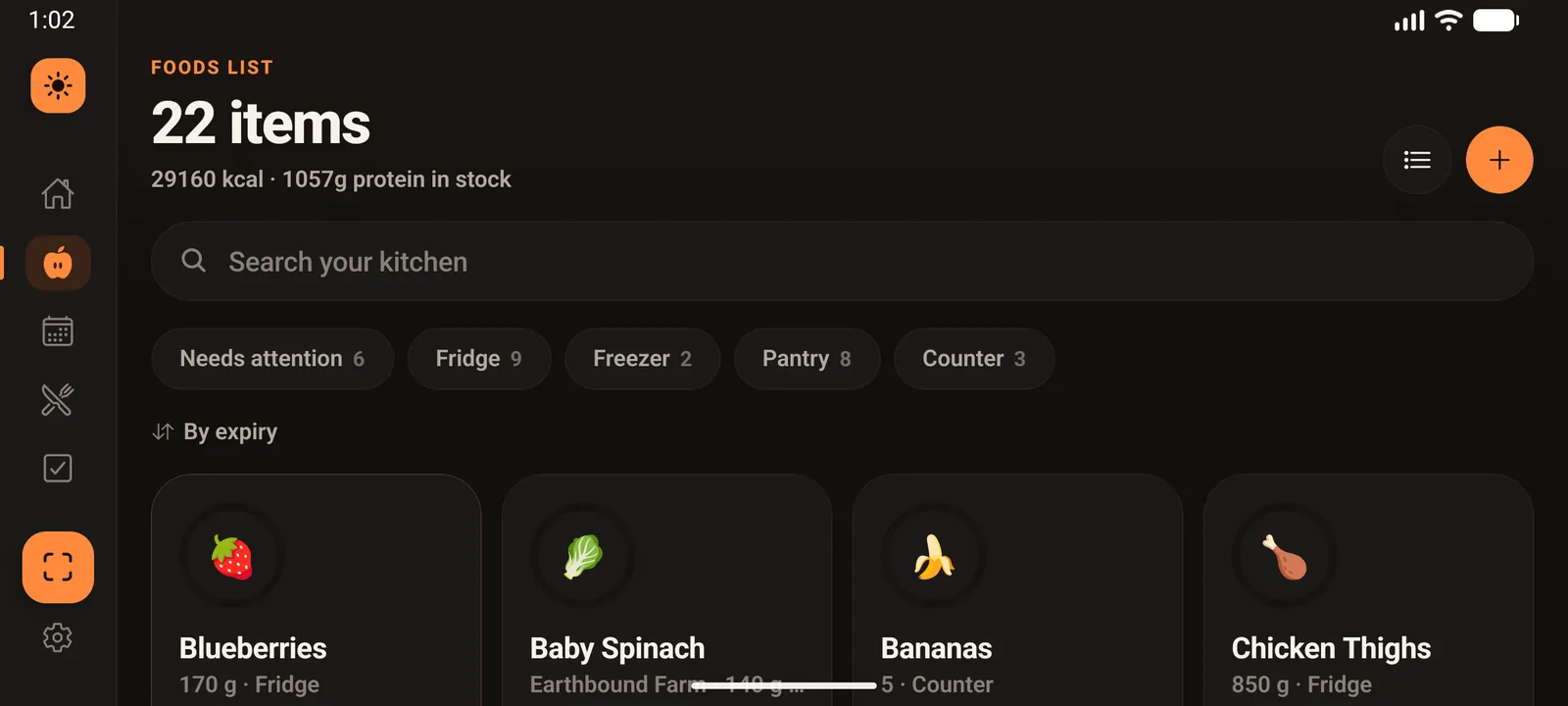
The side rail is chosen by the shape of the viewport rather than the device, so a phone in landscape gets it too. Type gets bigger and the lists gain columns.
  • Standby is a shade, not a brightness change. A dark layer fades over the live app — no permission needed, instant recovery, and a crash can never leave the device dark.
  • It swallows the first tap. Waking the display can't accidentally press whatever was underneath.
  • Presence, honestly. There's no usable proximity API on either platform, so it infers someone approaching from the accelerometer picking up footsteps through a wall or fridge mount, plus a sharp ratio change in ambient light — because 20 lux means nothing in daylight and everything in a dark kitchen.
Kitchen Bright on a tablet in landscape with a vertical side rail and the Foods List in four columns.

What it doesn't pretend

Where a vendor has no public API, the app says so.

Several services people ask for — MyFitnessPal, MacroFactor, Samsung Health, Cozi, iCloud Calendar — have no public API to connect to. Rather than offer a button that cannot succeed, the app states the reason on the card and routes through whatever mechanism does work.

Also true of the app itself

It works fully offline; sync is something you turn on, not something it requires. Shelf-life figures are conservative estimates, not food-safety guarantees. And nutrition data comes from public food databases, which disagree often enough that the app shows you when they did.